Finding your conversations — search, "All mine" and assignment routing
Who this guide is for: EMPLOYEES who work the shared inbox; ADMINISTRATORS for the assignment-routing part (step 4), because the routing rule affects the whole team.
Three ways to control which conversations you see: the search box, the All mine filter, and the assignment routing rule that decides who receives new conversations.
About the pictures and examples. All screenshots come from an isolated, synthetic test business used for product acceptance testing. Search terms like "shared-needle" and names like "Zeta Person" are simulated test data created by the run itself. The run verified at the database level that no outbound message was sent during the whole journey.
Step 1 — What search matches
Open Inbox. The search box sits in the toolbar; its helper text says it searches by message text, contact name or phone. Verified kinds:
- A fragment of a message — finds only the conversation whose last message contains that fragment.
- A literal percent sign (for example
100%) — a percent sign in your term is treated as plain text, not as a wildcard, so it cannot sweep the whole inbox. - Part of a phone number — finds the conversation whose contact has a number containing those digits.
- A contact's display name — finds that contact's conversation.
Step 2 — When nothing matches, the app says so honestly
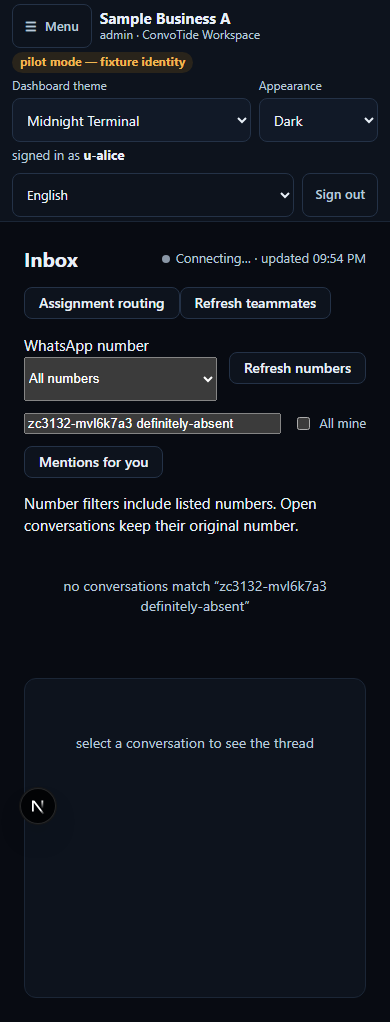
Type a term that matches nothing. Instead of a silent empty list, the app shows a line naming your own query back to you — verbatim: "no conversations match “<your search term>”". You can see at a glance whether you typed what you meant to. Clearing the search box restores the ordinary list.
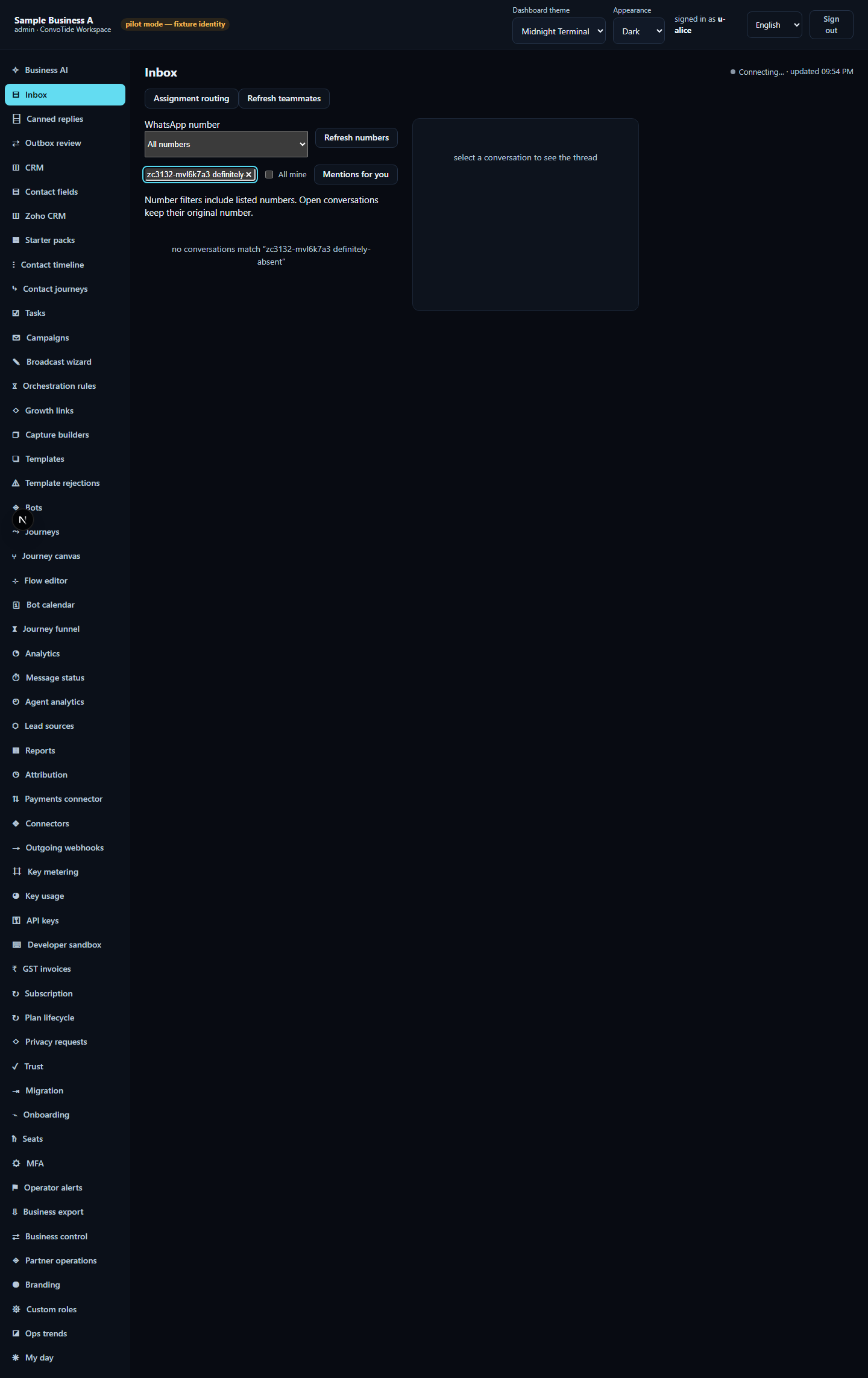
Step 3 — All mine: show only what is really yours
Next to the search box is an All mine checkbox. It shows only conversations the server reports as claimed by you — it does not guess from your screen.
- Claim a conversation (see handing a conversation to a teammate).
- Reload the inbox so the list re-reads the server-reported owners.
- Tick All mine — the list narrows to the rows that are yours (rows other people hold disappear).
- Untick it — the full listing returns.
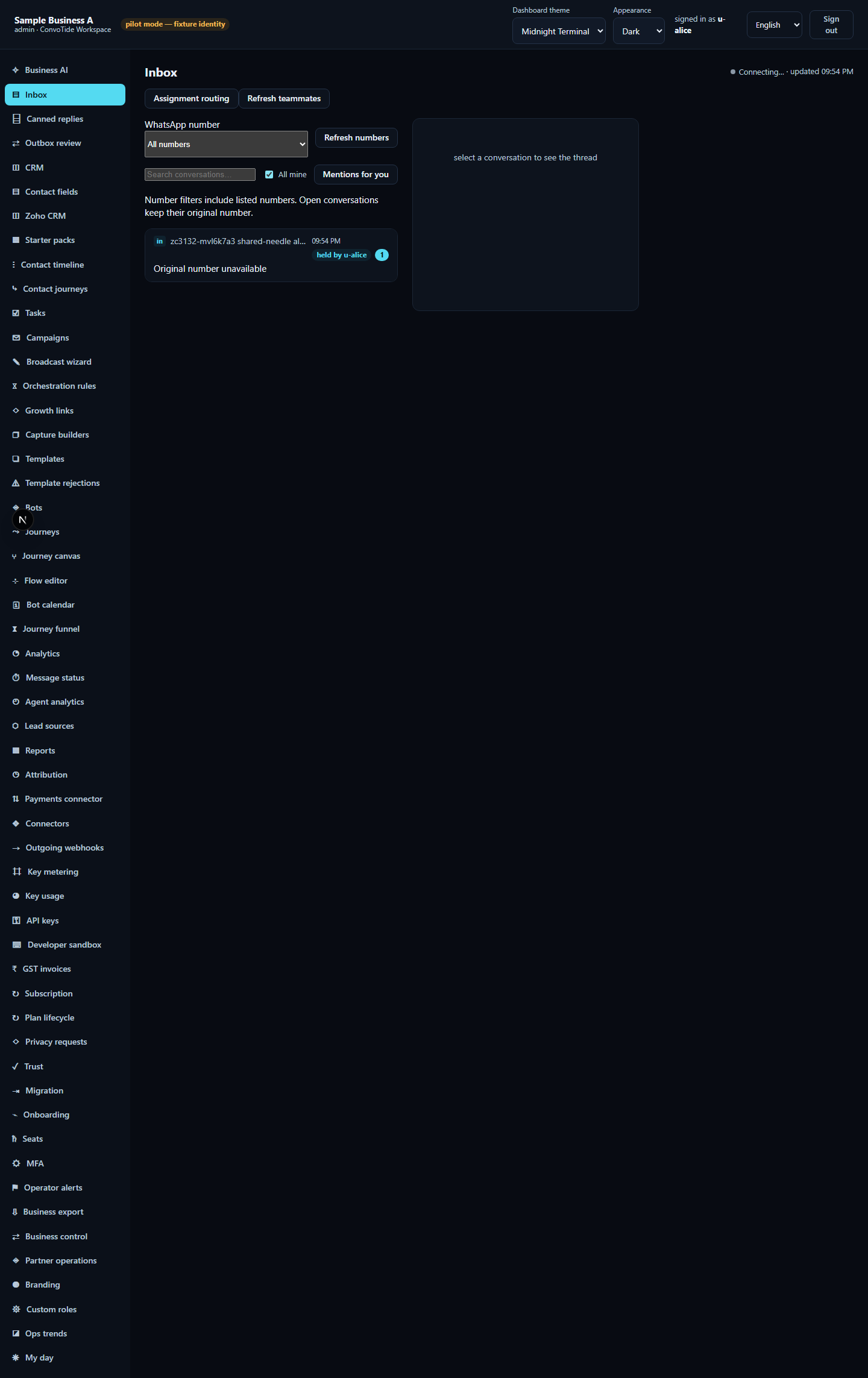
Step 4 — Assignment routing: who gets new conversations (admin)
The Assignment routing button opens a small panel with a routing rule. The panel states its own scope — with no specific WhatsApp number selected it reads, verbatim: "Applies to the business default. Choose a WhatsApp number above to configure its override."
- Click Assignment routing with no specific number selected — that is the business default scope (the only scope this guide's evidence exercised).
- Read the scope line so you know which rule you are editing.
- Choose a mode: Manual claiming (teammates press Claim themselves), Fallback owner (unassigned conversations fall to a chosen person) or Round robin.
- In Fallback owner mode, pick the person from the owner dropdown.
- Click Save routing. A notice confirms, verbatim starting with "routing saved — …" and restating the saved mode and owner.
- The rule is durable: after reloading the page and reopening the panel, the same mode and owner are still selected (verified in the database).
- To return to self-service claiming, set the mode back to Manual claiming, clear the owner and save again.
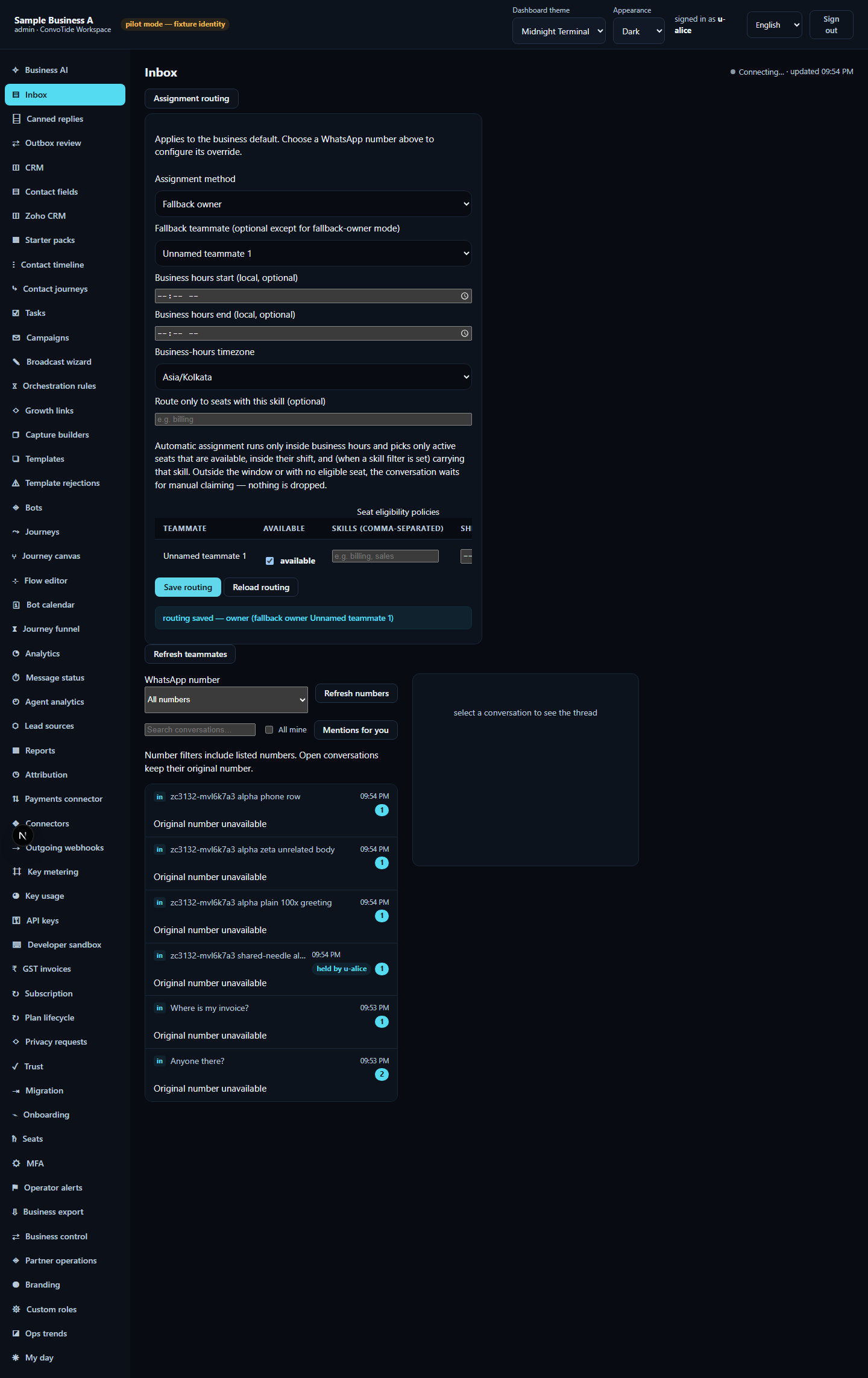
Agree with your team before saving. The business default affects the whole inbox, not just your view. Also, honestly stated: this guide's evidence proves saving and persisting the business-default rule — it does not prove what happens to a genuinely arriving new conversation (automatic assignment on arrival was not exercised). A per-number override (choose a WhatsApp number first, then edit) exists in the product but was not exercised; changing the business default does not rewrite a number's override.
Your business's data stays yours
The run planted the same search term in two different test businesses and searched from both sides: each saw only its own business's matching row — never the other's. This isolation is enforced by the product's row-level security, not by the screen.
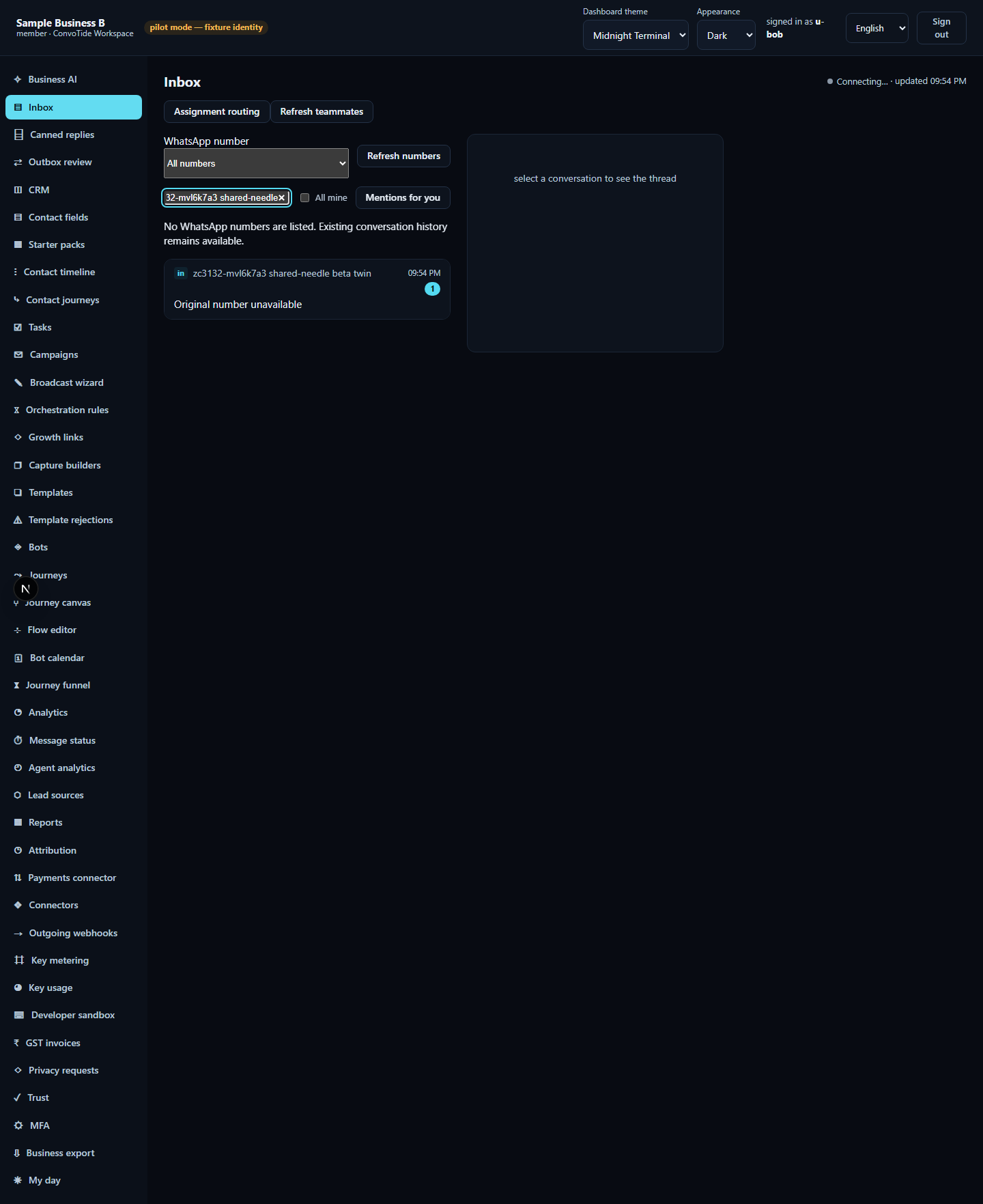
On a phone
At phone width (390px), open Menu, then Inbox: the search box, its honest empty state and the All mine checkbox all work, with no sideways scrolling.
The same controls in all five languages
| English (as tested) | हिन्दी | ਪੰਜਾਬੀ | मराठी | ગુજરાતી |
|---|---|---|---|---|
| All mine | सभी मेरे ज़िम्मे | ਸਭ ਮੇਰੇ ਜ਼ਿੰਮੇ | सर्व माझ्याकडे | બધી મારી જવાબદારીની |
| Assignment routing | ज़िम्मेदारी तय करने के नियम | ਜ਼ਿੰਮੇਵਾਰੀ ਤੈਅ ਕਰਨ ਦੇ ਨਿਯਮ | जबाबदारी वाटपाचे नियम | જવાબદારી સોંપવાના નિયમો |
| Save routing | रूटिंग सहेजें | ਰੂਟਿੰਗ ਸੰਭਾਲੋ | रूटिंग जतन करा | રૂટિંગ સાચવો |
| Manual claiming | खुद ज़िम्मेदारी लेना | ਆਪ ਜ਼ਿੰਮੇਵਾਰੀ ਲੈਣਾ | स्वतः जबाबदारी घेणे | જાતે જવાબદારી લેવી |
| Fallback owner | वैकल्पिक ज़िम्मेदार व्यक्ति | ਬਦਲਵਾਂ ਜ਼ਿੰਮੇਵਾਰ ਵਿਅਕਤੀ | पर्यायी जबाबदार व्यक्ती | વૈકલ્પિક જવાબદાર વ્યક્તિ |
| Claim | ज़िम्मेदारी लें | ਜ਼ਿੰਮੇਵਾਰੀ ਲਵੋ | जबाबदारी घ्या | જવાબદારી લો |
What this guide does NOT claim (kept honest)
- The run exercised body/name/phone/percent search, the honest empty state, the All mine filter and the manual / fallback-owner routing modes at the business-default scope — saving the rule and proving its persistence, not the outcome for a genuinely arriving conversation. A per-number routing override and the Round robin option exist in the interface but were not exercised and are not described beyond their names.
- Work-queue transitions beyond the All-mine filter, teammate mentions, snoozing, business-hours and skill routing were not part of this run.
- No live WhatsApp/Meta message was sent or delivered; all data is simulated test data.
- This guide does not claim whole-product completion or equivalence with any other provider set.
Evidence record (kept for honesty). From the completed ZC-3132 inbox
lane, run O4 (23 October 2026, 17 of 17 tests passed) of
zc3068-inbox-search-assign-browser.spec.ts, executed on the real app with
a real browser and an isolated test database (a local candidate — not
Main-built, not live). Lane evidence ledger:
C:/CT-ZCODE3132/lane-inbox-cont-ledger.json; screenshot checksums in
assets/ASSETS-MANIFEST.json. Current
standing: at authoring time Chief acceptance was open (historical status,
preserved); independent review
CT-INBOX-REVIEW3143 has since
accepted the inbox local candidate at HEAD
85bf2a878df1e2430354910e9718c3ed62a2c05b (bounded local-candidate
acceptance; the search/filter outcomes and the saved business-default
routing rule's persistence are the accepted scope — incoming auto-assignment
was not tested). Main PR #336 is Chief-reported source integration — not
independently verified Main-built or live evidence here.