The opening screen: cards, pipeline board and next steps
This chapter walks you through the screen you land on when SMS CRM opens — what each card and number means, how the pipeline board behaves, and where the buttons take you next.
Before you start — who this is for
Any member of the business who can open SMS CRM. Everything on this screen is for looking and navigating; creating and changing things happens in the screens it links to (contacts, CRM tools — see the linked chapters).
What the opening screen is made of
Everything you see is read from your business's real records — no number on this screen is estimated, sampled or invented:
| What you see | What it counts | Good to know |
|---|---|---|
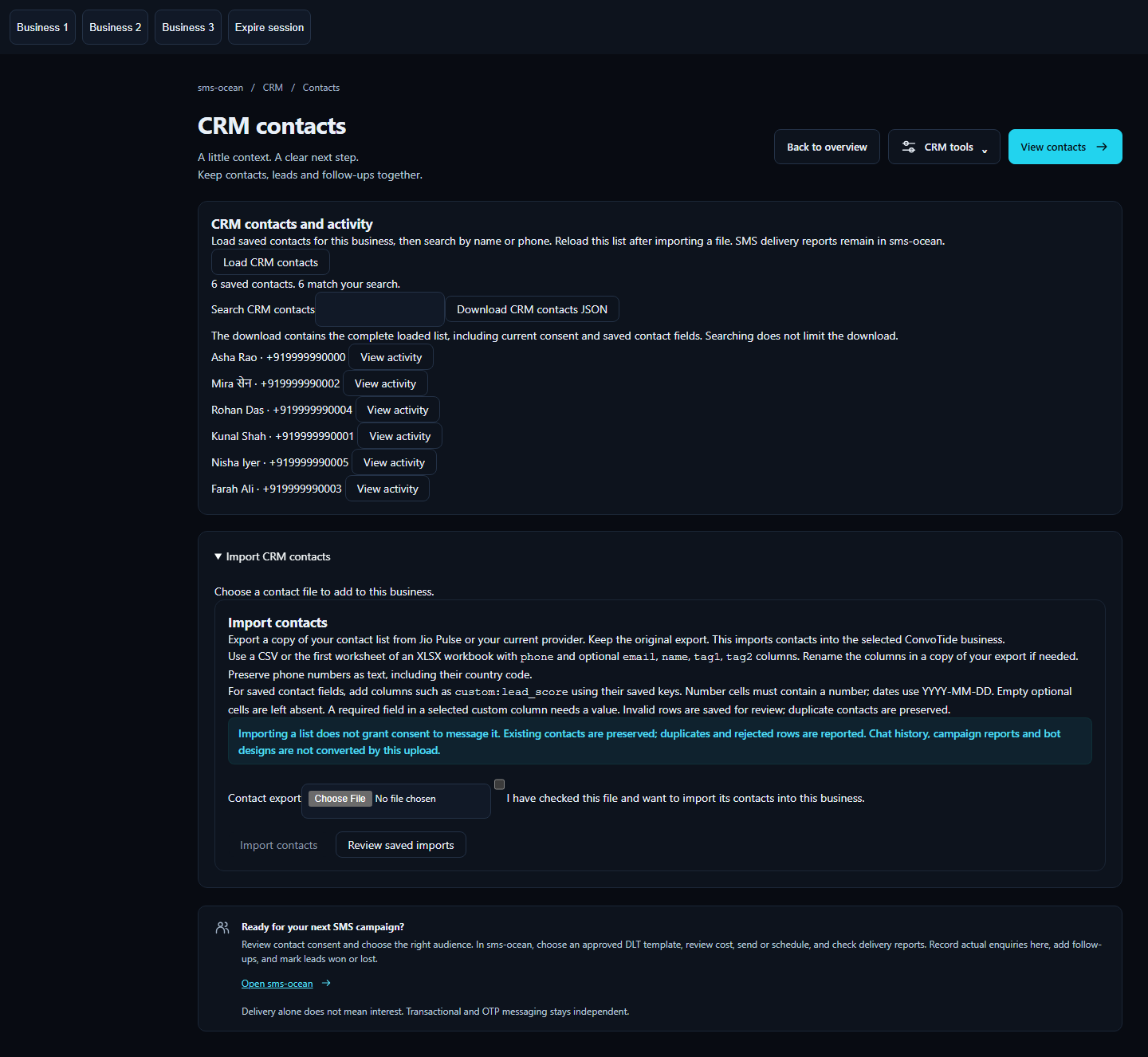
| Contacts card | Your total contacts, the contact list, search and each contact's consent state | Shows real names, phone numbers and consent states as saved |
| Pipeline card / board | Your pipelines, open leads, stages, and won/lost totals | You can have more than one pipeline and switch between them; a contact can have more than one lead, and they are counted honestly |
| Follow-ups card | Only open follow-up tasks — due today, overdue, upcoming, or without a date | Completed tasks disappear from this card; times are shown in your device's time zone, and the screen tells you which time zone it used |
| Activity card | Leads to a single contact's own history (their timeline) | There is deliberately no combined activity feed across all contacts — see below; the same contact window also carries the SMS delivery evidence section |
The pipeline board
- Stages appear in the order defined for the pipeline, with the real number of leads sitting in each stage.
- Choosing a different pipeline rebuilds the board from that pipeline's own records.
- On a phone the board scrolls sideways inside its own box — it never stretches the page or pushes the layout off-screen — and you can scroll it with the keyboard too.
- Creating pipelines and leads, moving stages and closing deals happens through the real forms in the CRM tools — see Pipelines and leads.
Follow-ups on this screen
The follow-up card lists only your open tasks with their actual due times, shown in the time zone your browser reports (the time zone name is displayed next to the times, so you are never guessing). Overdue, upcoming, undated and completed cases all behave as you would expect. The full task journey — including what happens when your login code is missing — is in Follow-ups.
Where the buttons take you
The SMS navigation entries lead to the existing working screens:
- CRM tools — the forms for pipelines, enquiries and follow-ups:

- Contacts — the contact list with its import form:
What this screen does not show (by design)
- There is no combined activity feed across your contacts. The activity card leads to a single contact's bounded timeline (see Contact timeline and privacy).
- The system does not guess or display message replies, clicks, enquiries or revenue attribution anywhere on this screen. If a number is shown, it is a real count of a real record.
How it looks on different screens
The overview was checked on phone, tablet and desktop sizes, on the Chromium, Firefox and WebKit browsers, and with every existing desktop theme:
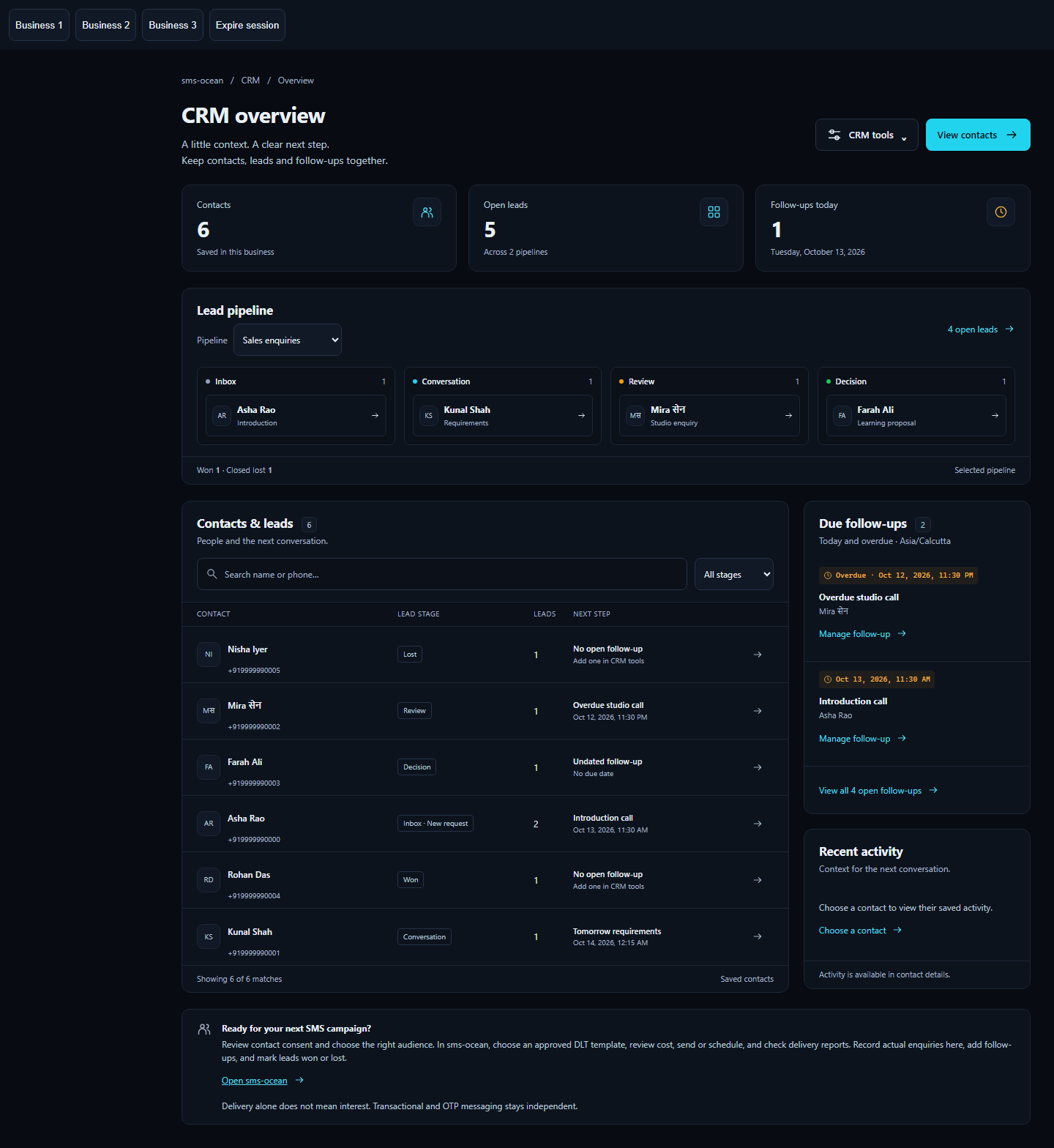


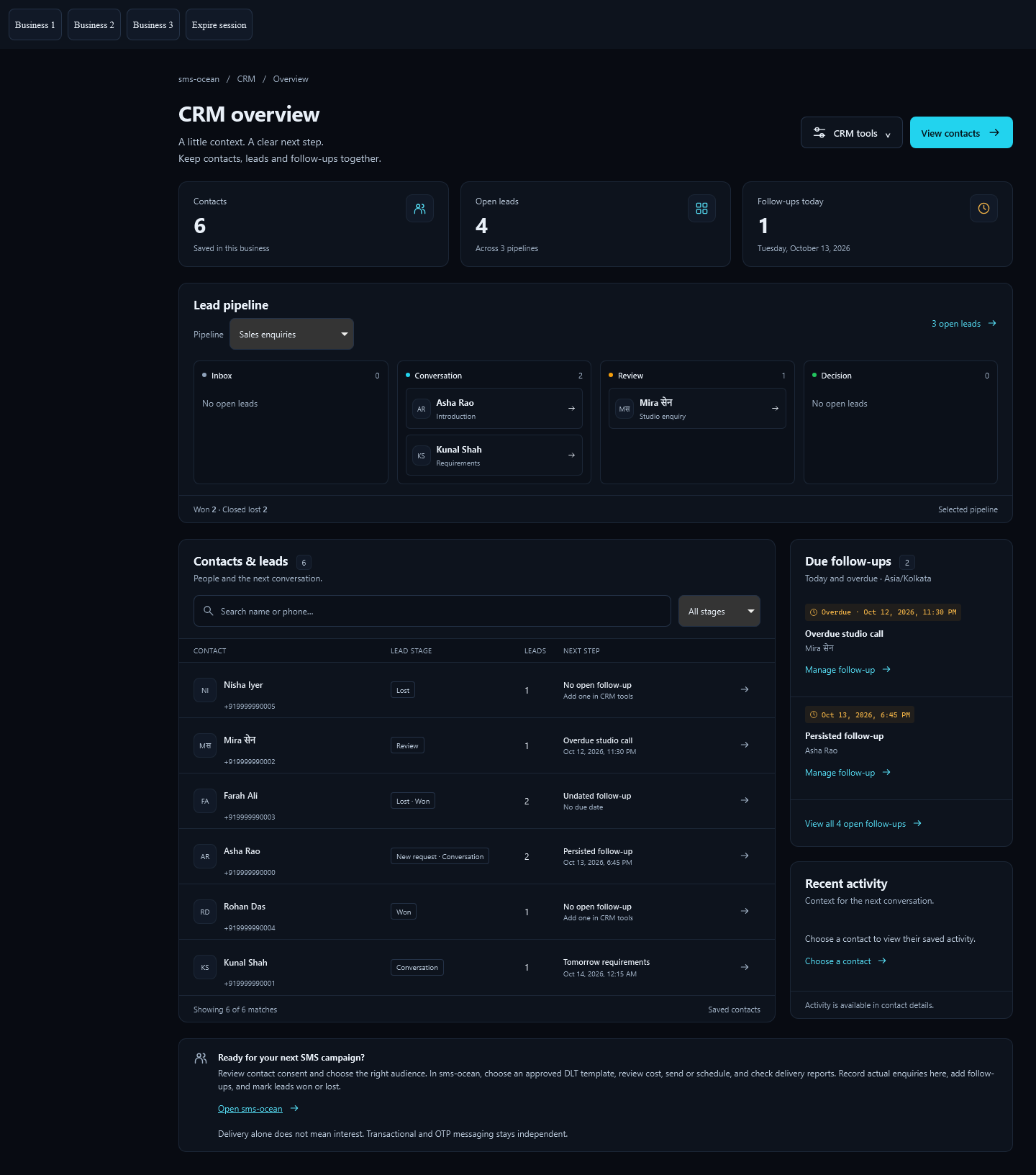
Across 36 rendered states, standard accessibility checks found zero violations. Keyboard use, dialogs (Escape to close, focus returns where it was) and menus all passed.
Evidence and receipts
- Evidence base:
tools/sms-crm-approved-overview-20261013/— the complete retained lane withHANDOFF.md, the component sources it pins, andevidence/run06/(main functional/browser suite, 19/19 PASS) andevidence/run11/(final focused navigation/geometry/accessibility round, 1/1 PASS). - Evidence kind: locally qualified PASS against the real mounted API, ordinary-role disposable PostgreSQL (NOSUPERUSER/NOBYPASSRLS, FORCE RLS) and real Chromium/Firefox/WebKit browsers, with an explicitly synthetic locally signed identity and in-memory native MFA. No live provider, no SMS sent, no CapCore SSO acceptance claimed. This is approved lane evidence — see Not yet covered for what production verification remains.
| Fact in this chapter | Receipt |
|---|---|
| 19/19 main suite, real HTTP + ordinary PostgreSQL, no business-success interception | evidence/run06/result.json |
| Final navigation/geometry/accessibility round 1/1 | evidence/run11/result.json |
| Browser/theme/viewport matrix and zero axe violations across 36 states | HANDOFF.md "Accessibility" and run06/run11 result JSON |
| Board containment, keyboard scrolling, dropdown bounds | run10→run11 chain in HANDOFF.md |
| Screenshots (synthetic fixture context, not live) | run06/chromium-{390,768,1440}.png, run06/firefox-{390,1440}.png, run06/webkit-{390,1440}.png, run11/{tools-with-real-forms,contacts-with-import-form}-{390,1440}.png |
Failure history preserved (run01 wrong test assumption about the valid Asia/Calcutta alias; run02 real dialog focus-return defect, fixed; run03 summary-text selector error; run04 wrong internal-MFA expectation in customer copy, corrected as a test defect; run05 nonexistent seed field; run08 real hosted-board mobile overflow, diagnosed run09, fixed and passed run10; run11 open-menu bounds/axe checks after final review caught the mobile dropdown edge — no valid product assertion weakened at any point) |
run01–run05, run08–run09 entries in HANDOFF.md |
| Disposable PG role/RLS and loopback ports | run06/sql-role-and-rls.json, run06/owned-pg.json, run06/owned-listeners.json |