Importing contacts from a file — and what the result receipt tells you
Who this guide is for: customer ADMINISTRATORS who look after the business's contact list.
This guide walks a real import: what happens when the file has the wrong shape (it is refused whole — nothing half-imports), what the counted result receipt means, where the imported contacts appear, and one honest observation about an analytics card.
About the pictures. The administrator
id-emma, the test business "Identity Alpha", the import file and every contact in it (includingKiran (lane3456)/+917097302257) come from an isolated test run — not live customer traffic, and no live WhatsApp/Meta message was sent anywhere in the run.
Step 1 — Open the import screen and choose your file
The contacts import lives behind the migration/contact-export surface: pick a file, and the screen accepts it for processing.
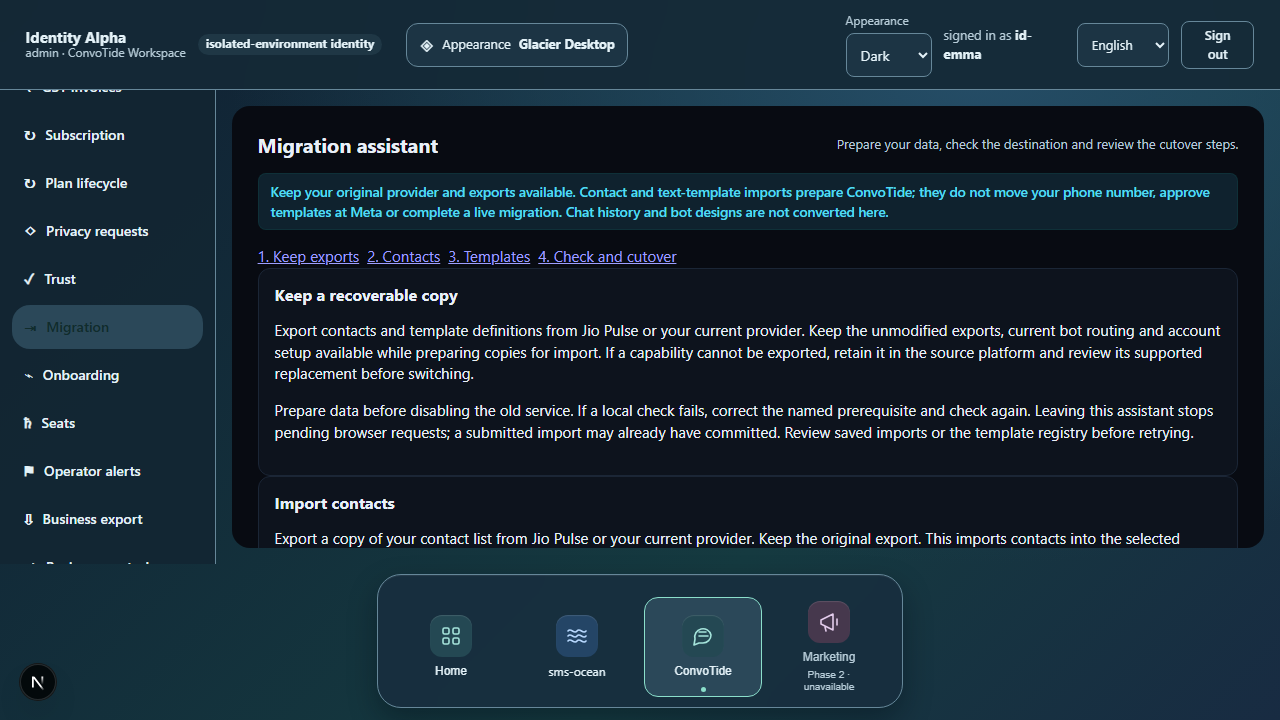
Step 2 — If the file has no header row, the whole import is refused
The first example file has no recognizable header row, and the import is refused in its entirety. The product's own message (verbatim):
INVALID_REQUEST — missing "phone" column: the first non-empty line must be a header naming the columns: phone (required), email, name and tag columns (tag1, tag2, ...) — a header-less CSV is refused
What this tells you:
- Your file's first line must be a header row naming the columns: a
phonecolumn is required;email,nameandtag1, tag2, …columns are optional. - The refusal happens before any row is written — a malformed file never partially imports.
What to do: add a proper header row as the first line and upload again.
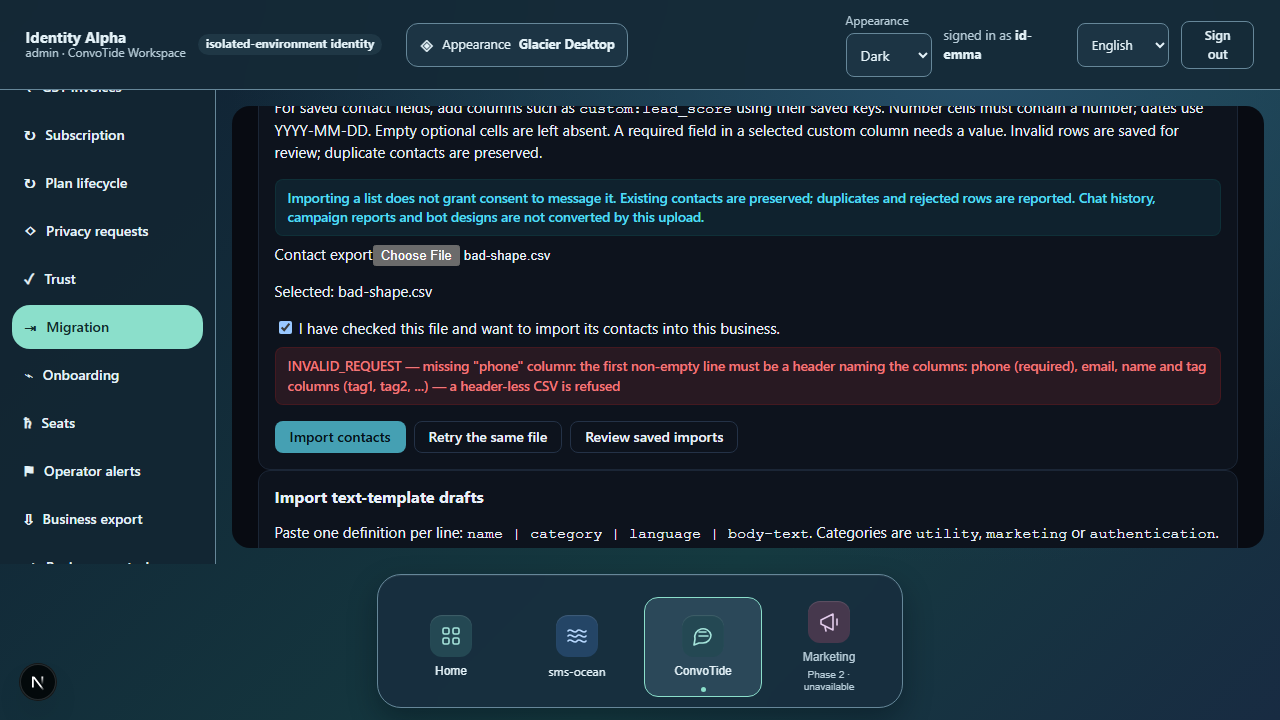
Step 3 — Read the counted receipt
A corrected file imports with an exact receipt (the example's wording is cut off only by the screen's own text limit):
Import result 5 rows: 3 imported, 1 duplicates, 1 rejected. Import reference: fa4176fb-91f5-415e-9d8b-03066effbc35 Reported errors are shown below. Keep the reference to retrieve further errors from t
What the numbers mean (from the example):
- 3 imported — three rows became contacts.
- 1 duplicate — the duplicate phone (
+917097302257) was preserved, not overwritten: the earlier contact's data wins. - 1 rejected — the row missing a phone was rejected on its own, leaving the other three imported. One bad row never spoils the batch.
- Import reference (
fa4176fb-…) — keep this code; it lets you retrieve further error details later.
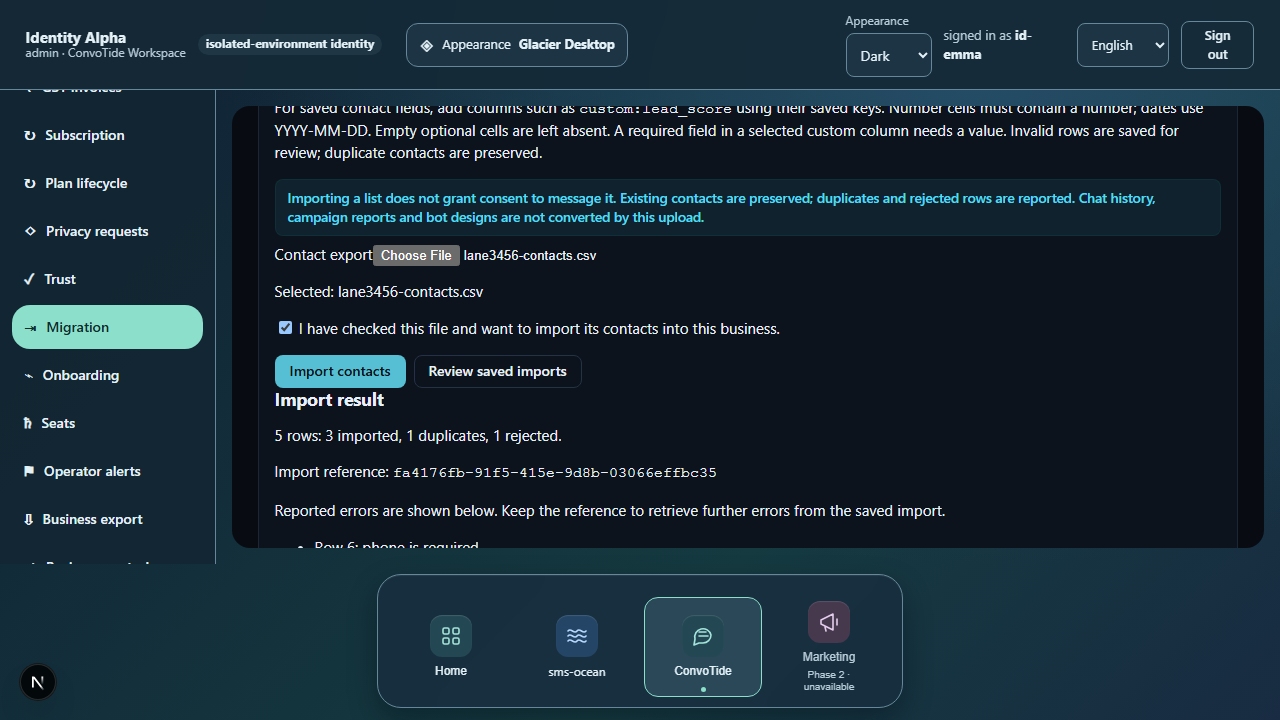
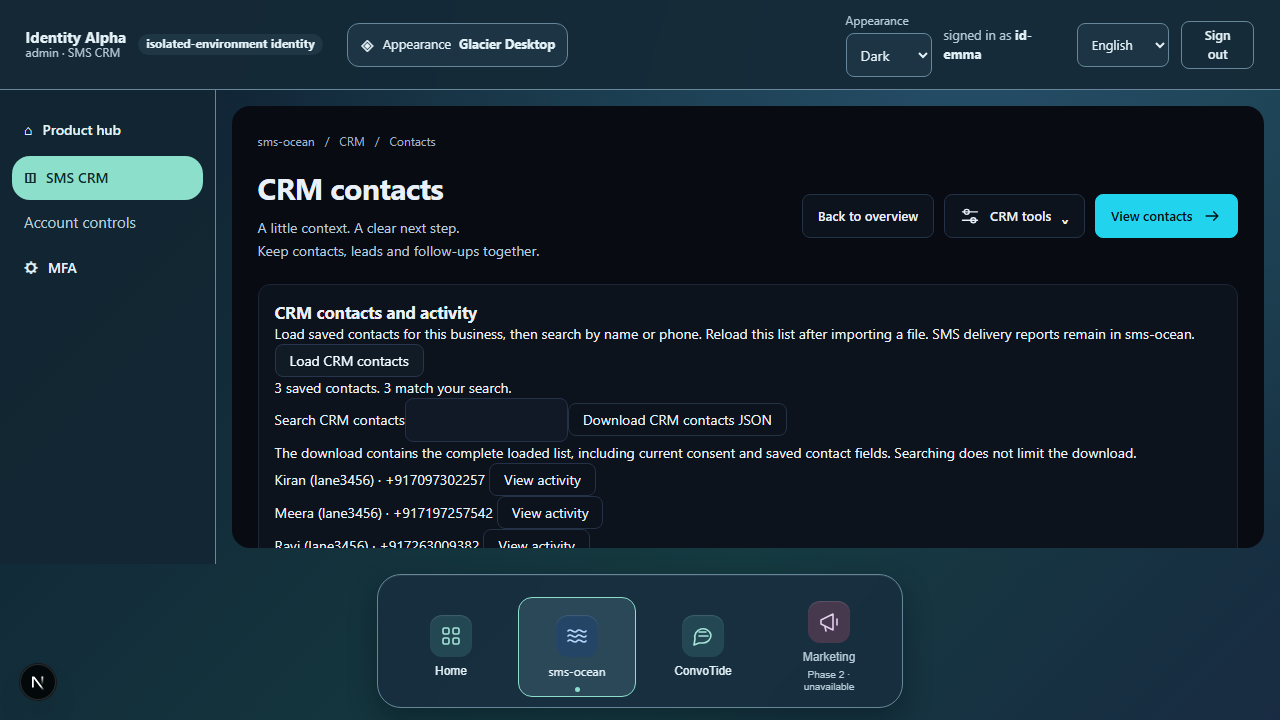
Step 4 — Where the imported contacts appear
The business's contacts management screen lists the imported customers —
for example Kiran (lane3456) / +917097302257, shown with an honestly
empty consents state (imported contacts have no consent recorded — see
the "not exercised" list below).
Step 5 — The cohorts card on analytics (an observation, not a feature)
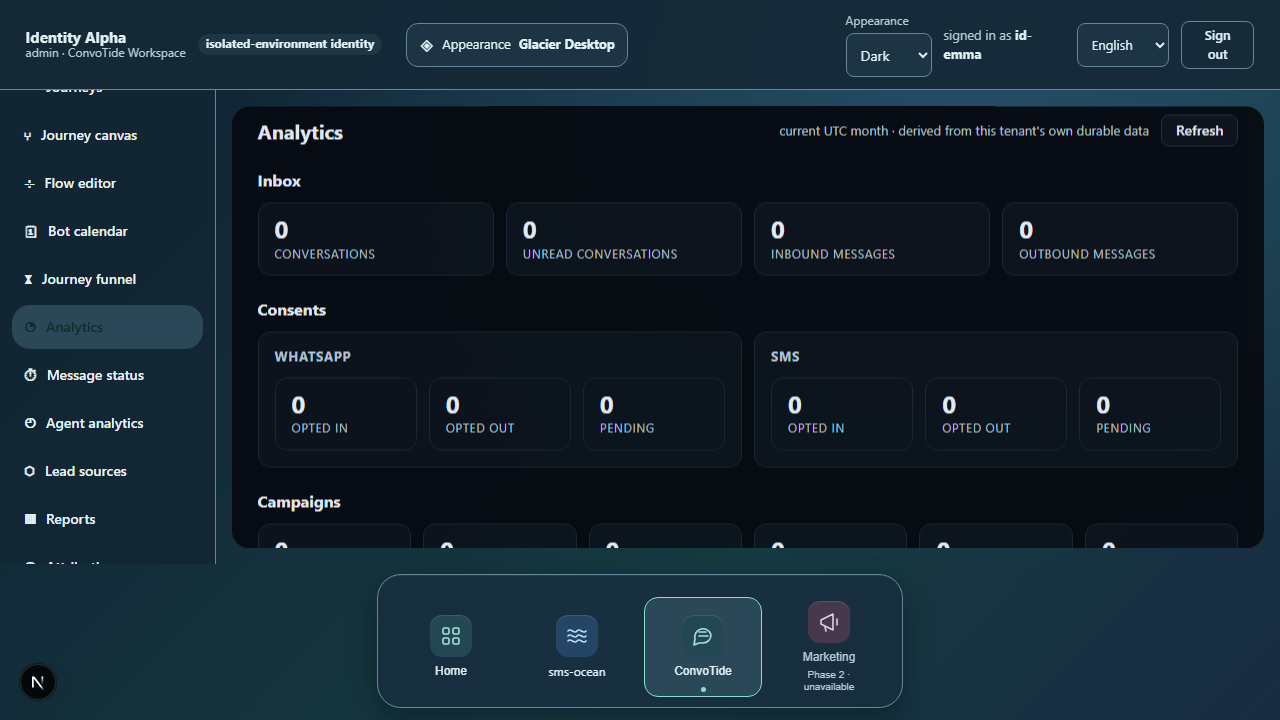
The same test run saw the contact-cohorts (segments) card appear on the business's analytics with its repeat-customer split. This guide records only that the card appeared with its split in that run — nothing more. No creating, editing or deleting of segments was exercised, and the segments capability carries no acceptance here.
On a phone
At phone width (390 px) the import screen works the same — the receipt and the file picker are unchanged.

Extra facts for spreadsheet (.xlsx) uploads — from a separate test
This section stands on a different, separately-labelled evidence set (the FULL3747-O14EV API-seam suite, 25 October 2026) than the browser journey above (the BATCH3456 journeys run).
- Two-step import. The import asks for the file first and executes only when you confirm — the same two-step shape the screen walks you through.
- Structural problems refuse the whole file — an empty file, a missing phone column and a duplicate column are all refused entirely; none of them partially imports. The server enforces the same contract you saw in step 2.
- Excel (.xlsx) files follow the same rules. An
.xlsxupload reads its first worksheet and applies the same row validation as CSV — a spreadsheet is not a looser back door into your contacts. (No screenshot exists for this: it was exercised at the route level, not in a browser.) - One business never sees another's imports. The imports list stays pinned to your business.
If you see an error
| What you see | What it means | What to do |
|---|---|---|
| INVALID_REQUEST "missing phone column" | The file's first non-empty line is not a valid header row | Add a header row: phone required; email, name, tag1… optional; re-upload |
| "1 duplicates" in the receipt | A phone number already exists — the existing contact was kept | Expected; correct the source file if you meant a different contact |
| "1 rejected" in the receipt | That row was invalid on its own (for example no phone) | Check the reported errors with your import reference; other rows imported fine |
What this guide does NOT claim (kept honest)
- No contact editing, tagging or deletion — importing and reading were exercised; other contact actions are undocumented in this tree.
- No segments management — the cohorts card was observed rendering only.
- No consent recording through the screens — imported contacts' consent state is honestly empty; consent recording is API-driven in this build (see the consent-gate guide).
- No live messaging — nothing was sent to any contact.
- No live/Main-built runtime — the run is lane-recorded, pending Chief acceptance and Main integration.
Where the receipts live
| What | Where |
|---|---|
| Final-run screenshots (this guide's images, byte-exact) | C:/CT-ZCODE-BATCH3456/journey-artifacts/final-run/lane3456-B/ |
| Per-leg records with verbatim refusal and receipt wording | …/final-run/lane3456-B/journey-results.json |
| Journeys lane ledger (receipt mapping, import reference) | C:/CT-ZCODE-BATCH3456/lane-journeys-ledger.json |
| Playwright results of the final 3-pass run | …/final-run/results.json, …/final-run/journeys-combined.json |
| Guides lane ledger of record | C:/CT-ZCODE-BATCH3456/lane-guides-ledger.json |
| API-seam import cases (guidance contract, XLSX, tenant pinning) | C:/CT-ZC-FULL3747/tools/zcode-integration3723/runtime/FULL3747-O14EV/evidence/O14EV-S3-INBOX-CRM-IMPORT-CASES.json |
| O14EV lane ledger (S3 suite record) | C:/CT-ZCODE-FULL3747/lane-o14ev-ledger.json |
Evidence record (kept for honesty). Browser journey: final passing run
of the BATCH3456 journeys lane (journey B, customer admin — contacts legs
B3a/B3b/B4/B5), recorded 2026-10-24T12:29Z — 3 journeys passed together in
one chromium run, exit 0 — on branch codex/zcode-3456-journeys @
9d2136cb (fresh Main358 base). API-seam facts: FULL3747-O14EV lane, suite
o14-ev3747-s3-inbox-crm-import.pg.test.mjs — 12/12 cases passed, commit
e4ba94b6 on the combined candidate (C:/CT-ZC-FULL3747, branch
codex/zcode-full3747), real compiled application over real loopback HTTP
against a throwaway PostgreSQL 16 cluster; import cases rows O08.01–O08.07;
suite started 2026-10-25T00:20:31.504Z. Both standings: local candidate —
Chief acceptance OPEN, Main integration OPEN, nothing here is a live
claim.