Adding recipients to a campaign — the queue journey
Open Campaigns after signing in and selecting your business. Your role and enabled products determine access.
Who this guide is for: customer ADMINISTRATORS who prepare and queue campaign recipients. Queueing needs a seat that may write campaigns; read-only seats are refused.
This guide shows how one campaign moves from a draft in the Campaigns area to a scheduled campaign with a queued audience recipient: what the Queue button needs before it enables, why the service — not your browser — owns every refusal, how consent is honoured at the boundary, and what the campaign report honestly shows afterwards.
About the pictures. The business, the approved template "Harvest approved (synthetic)", the sending number
116600000001(displayed+91 00000 11666), the contact "Priya (sample)" and every refusal code in the pictures come from isolated synthetic test runs behind this guide — not live customer traffic, and no live WhatsApp/Meta message was sent in any of these runs. A queued recipient in these runs means the system accepted the send intent; the screen itself says "Delivery is not confirmed."Plan note. On Basic, an eligible verified Customer Owner who is the only active seat can approve a WhatsApp campaign they created. A team campaign requires a different eligible approver, either a Customer Admin or a teammate with delegated campaign approval.
Step 1 — Open Campaigns and create a draft
Sign in and open the Campaigns area. The list (camp-list) shows your
campaigns and the create form.
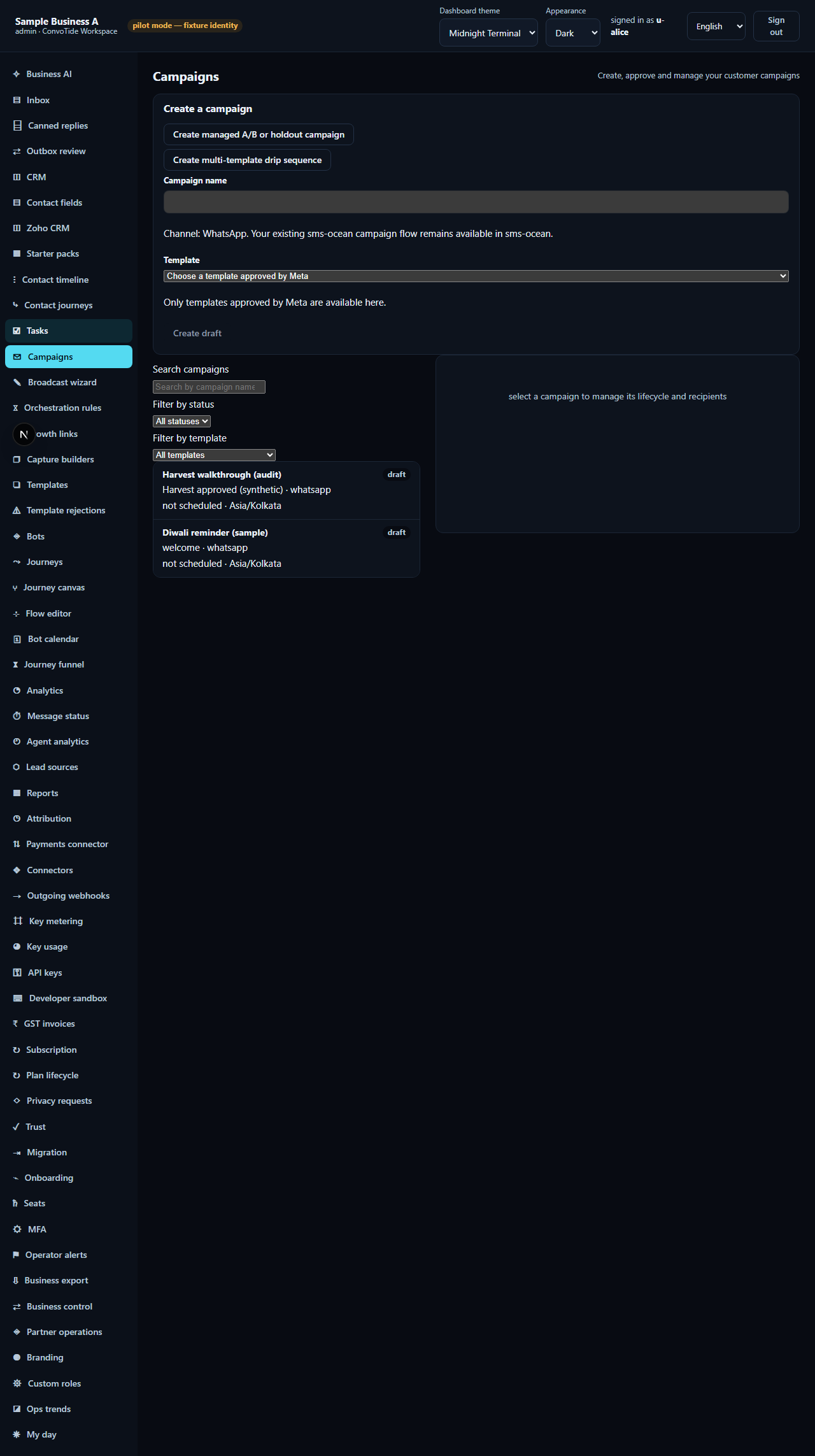
Give the campaign a name and pick an approved template — the create form only offers templates that are already approved, because a campaign can never attach a draft or rejected template. Create it, then select the new row: the detail drawer opens and the status badge reads draft.
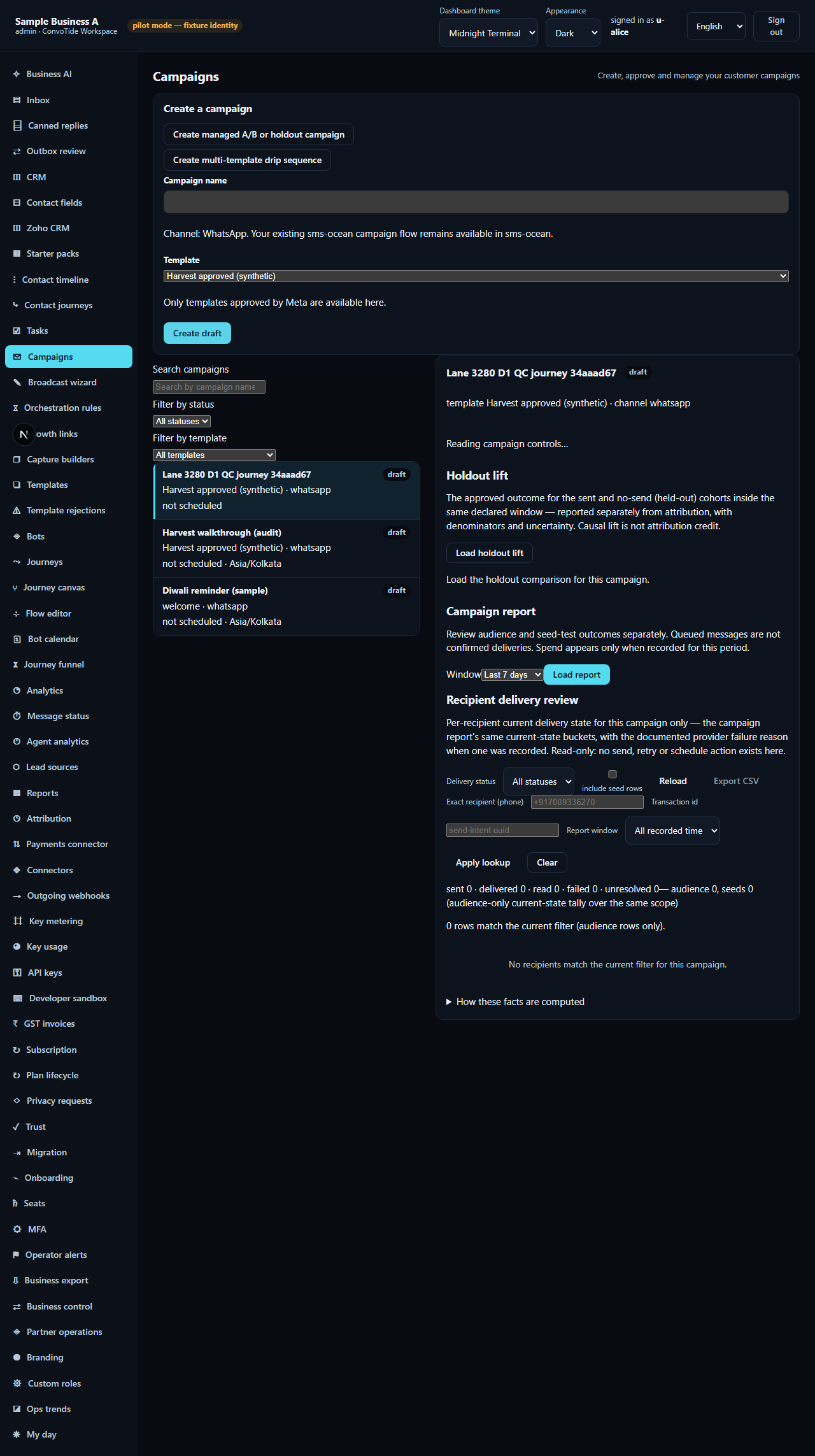
Step 2 — Prepare: the approval guard speaks first
In the team example below, the creating seat's approval attempt returns
403 SELF_APPROVAL_FORBIDDEN. On Basic, the eligible sole verified Customer Owner can approve a WhatsApp
campaign they created. For a team campaign, a different current Customer
Admin or a teammate with delegated campaign approval must approve it.
The approval record is written once.
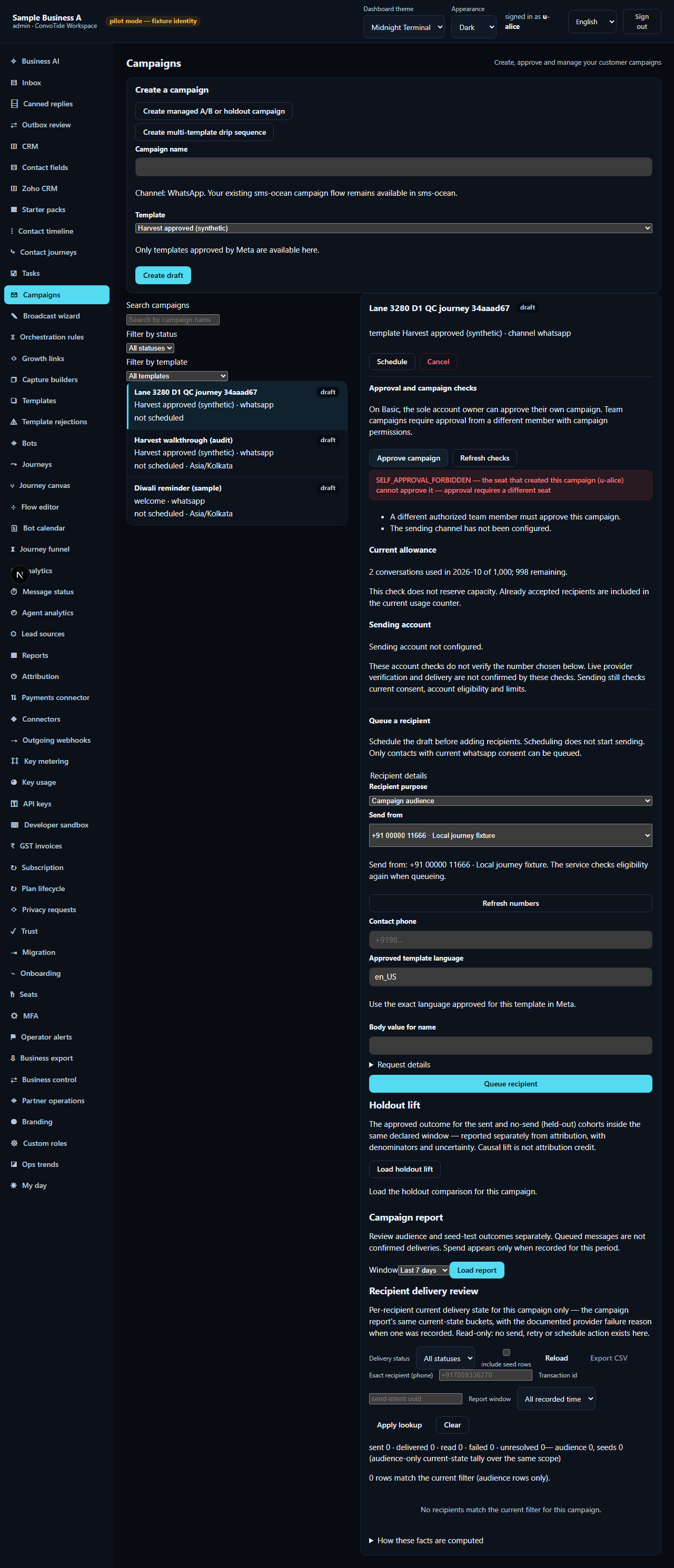
Running Check (preflight) renders the allowance and sending-account blocks — the campaign quota and the sending account the campaign may use.
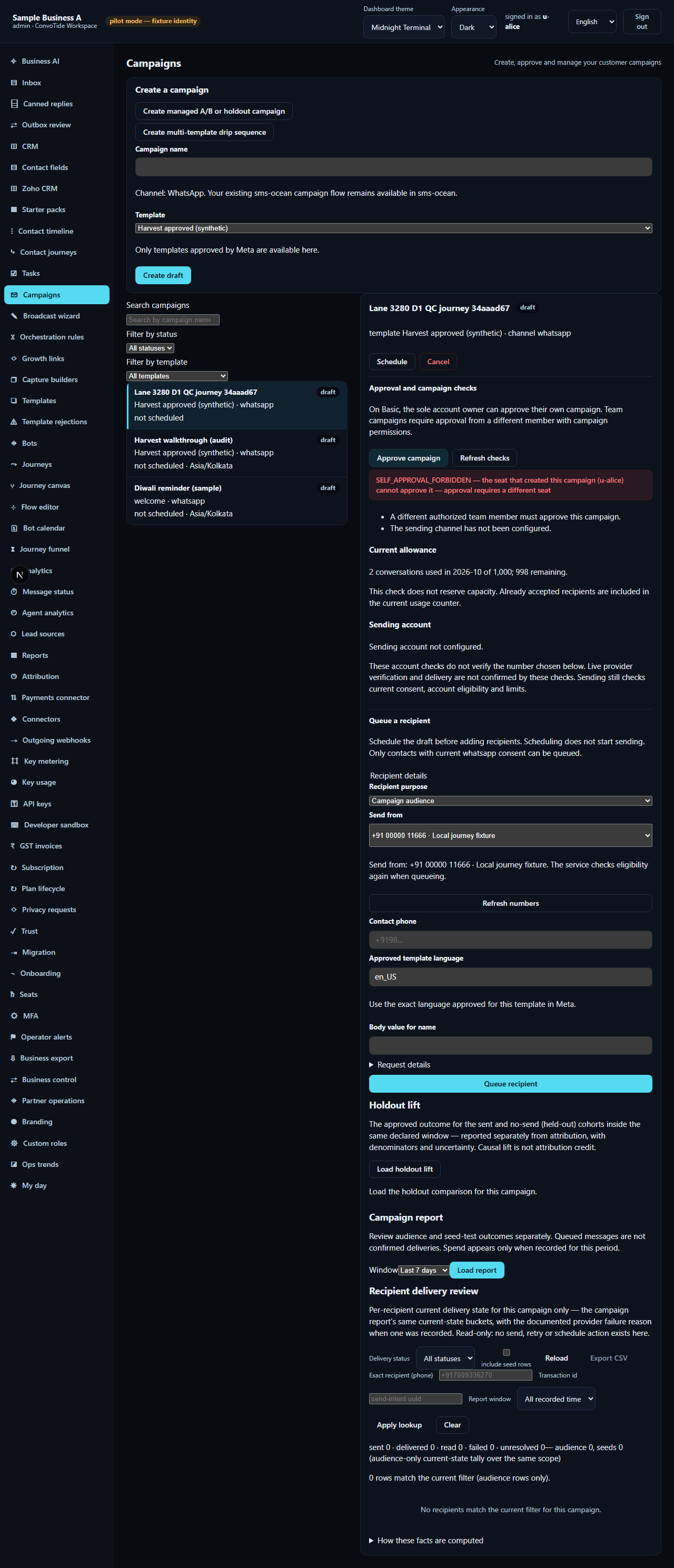
Step 3 — Bind the sender and the template language
Choose the sending WhatsApp number (here 116600000001; the status line
reads Send from: …). The Approved template language selector follows
the template — en_US here — and is read-only, because the language belongs
to the approved template, not to this campaign.
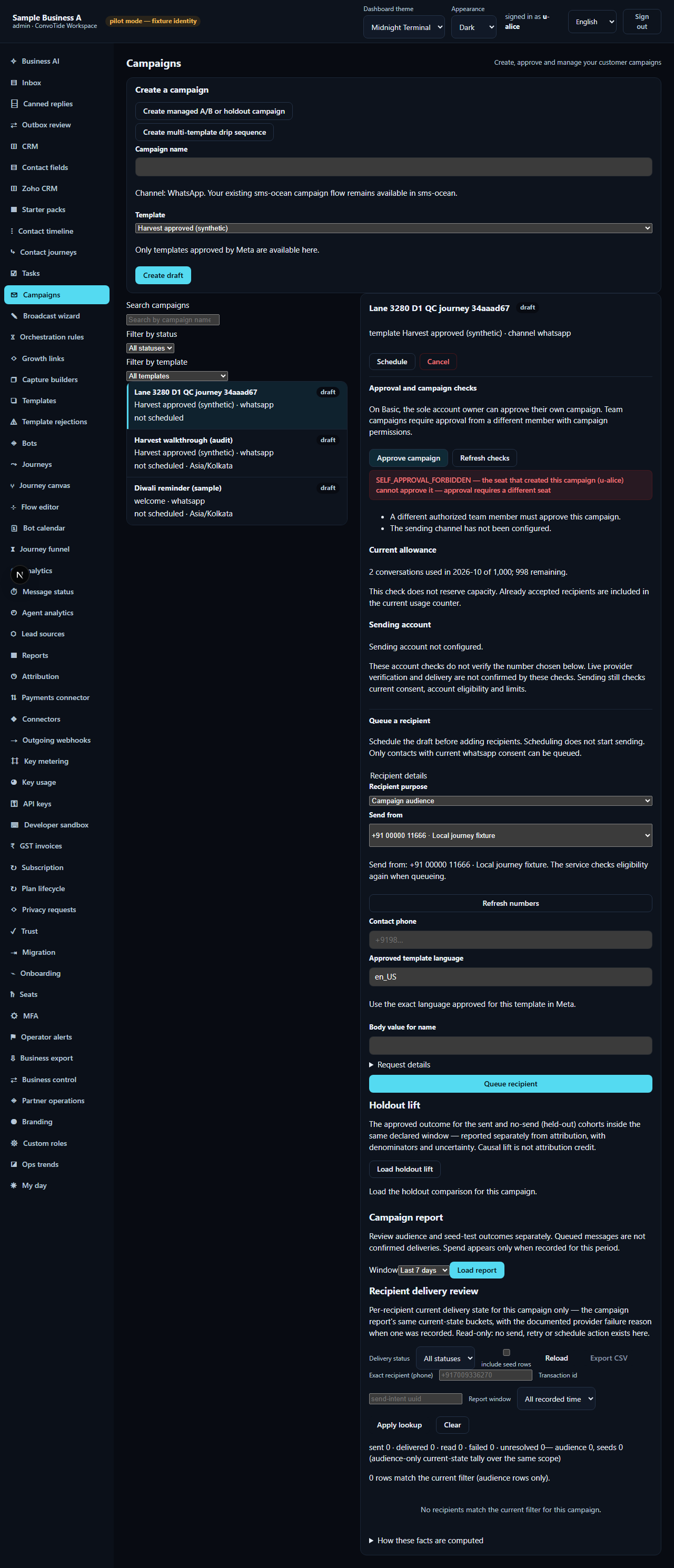
Step 4 — The Queue button is enabled; the API is the guard
With an approved template loaded, no template error, and a sending number selected, Queue recipient is enabled even while the campaign is still a draft. This is deliberate: the button no longer tries to predict every refusal client-side; the service boundary owns that.
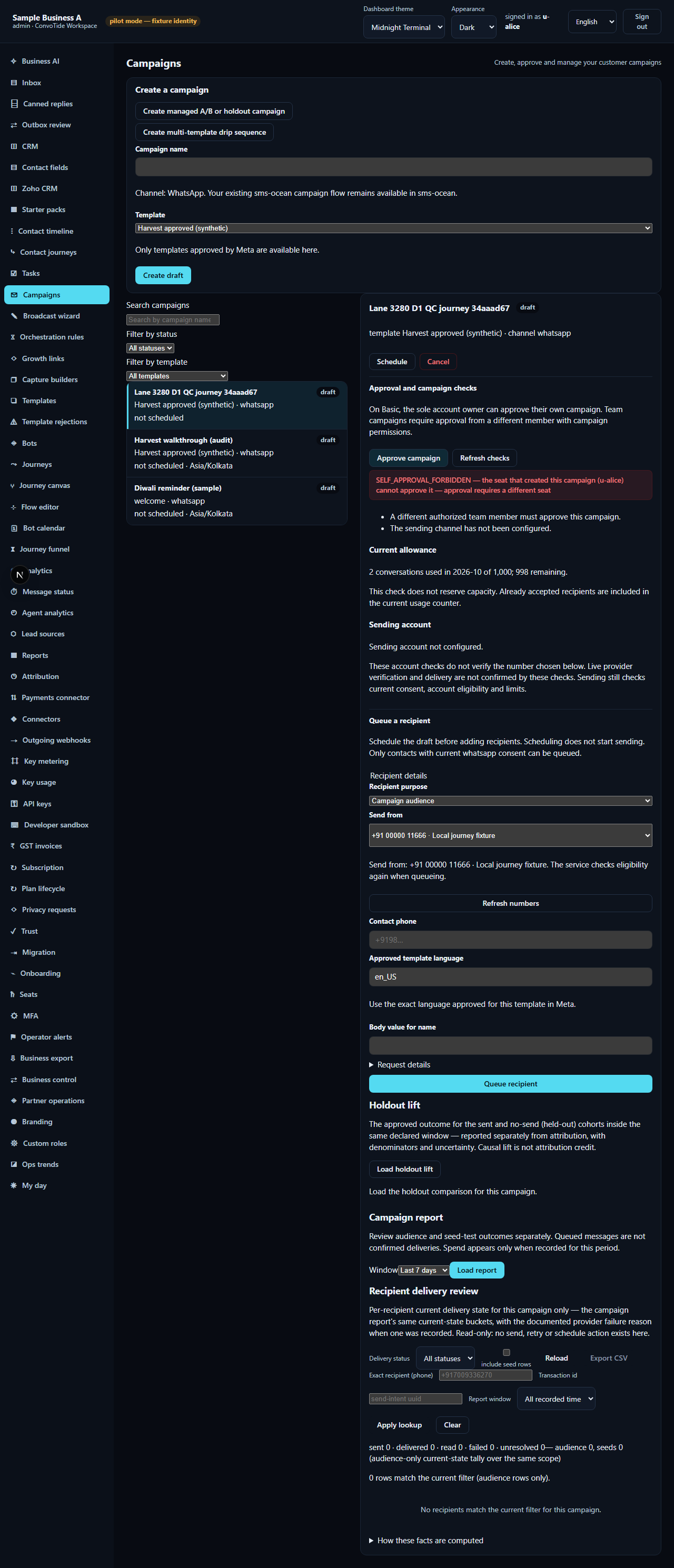
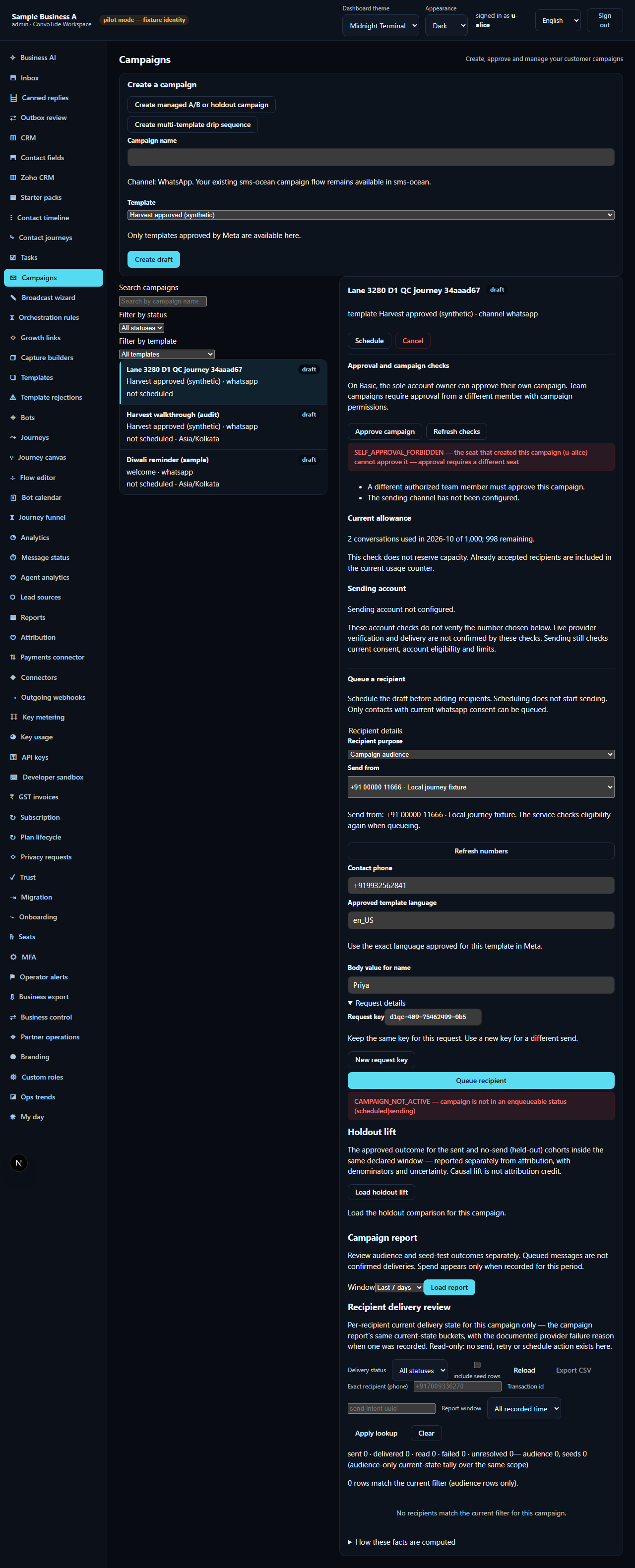
If you queue a recipient while the campaign is still a draft, the service
answers 409 CAMPAIGN_NOT_ACTIVE and the form shows the refusal inline as
an error notice. The click worked; the state was wrong.
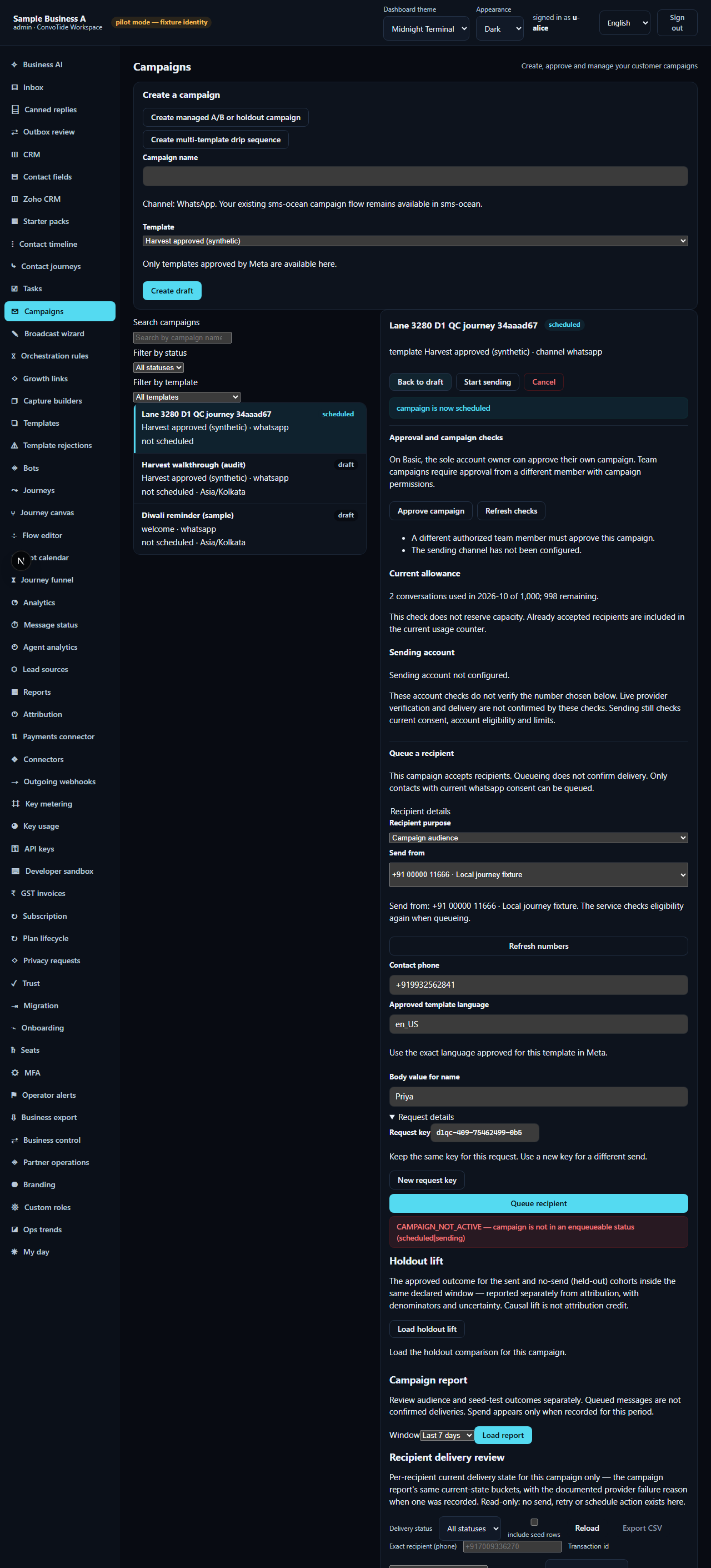
Step 5 — Freeze the audience window
Move the campaign from draft to scheduled with the drawer's transition control. Freezing the audience window is what makes queueing possible.
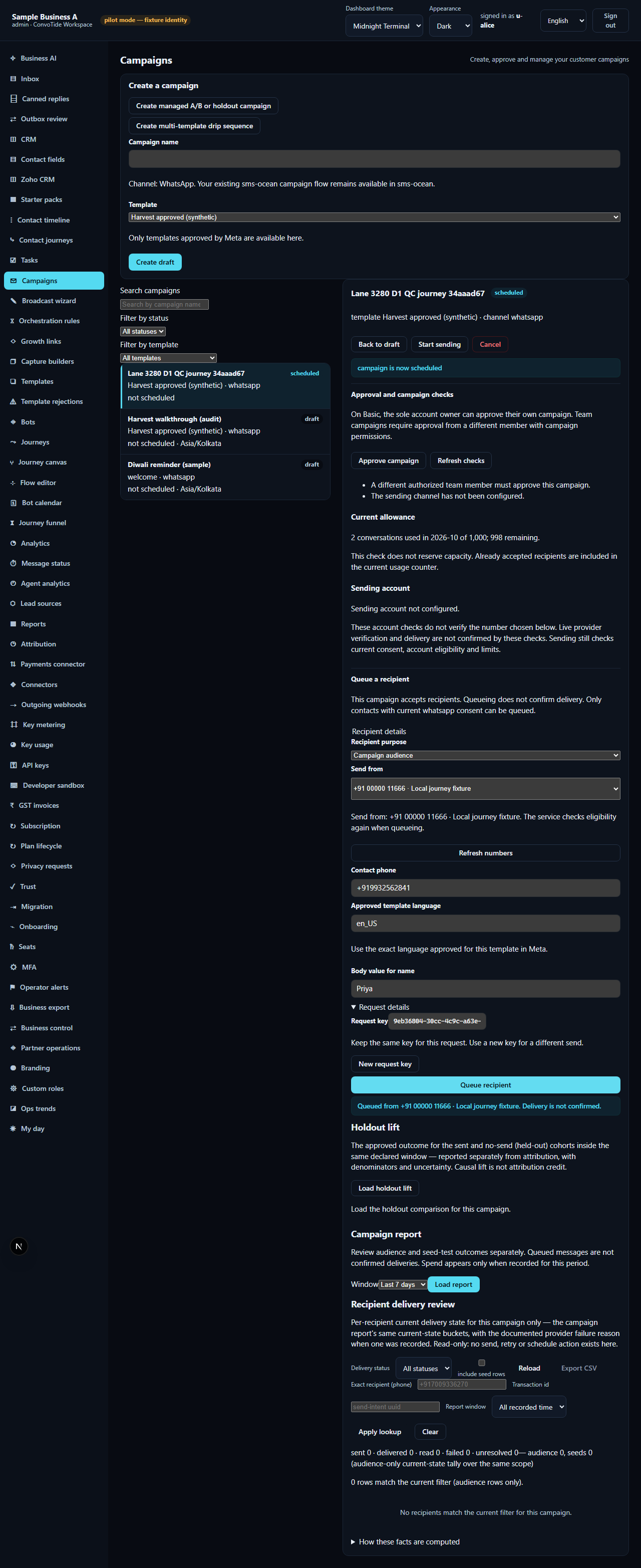
Step 6 — Queue a consented recipient: the honest 202
Fill the recipient form: phone, sending number, the body value for the
template's variable (here name = Priya), and the request key under
Request details. Press Queue. For a contact whose WhatsApp consent
is opted in, the service answers 202 with enqueued: true and an
intent id. The inline notice reads, exactly:
Queued from +91 00000 11666 · Local journey fixture. Delivery is not confirmed.
The interface never claims delivery — only that the recipient entered the queue.
Step 7 — An opted-out contact is refused at the boundary
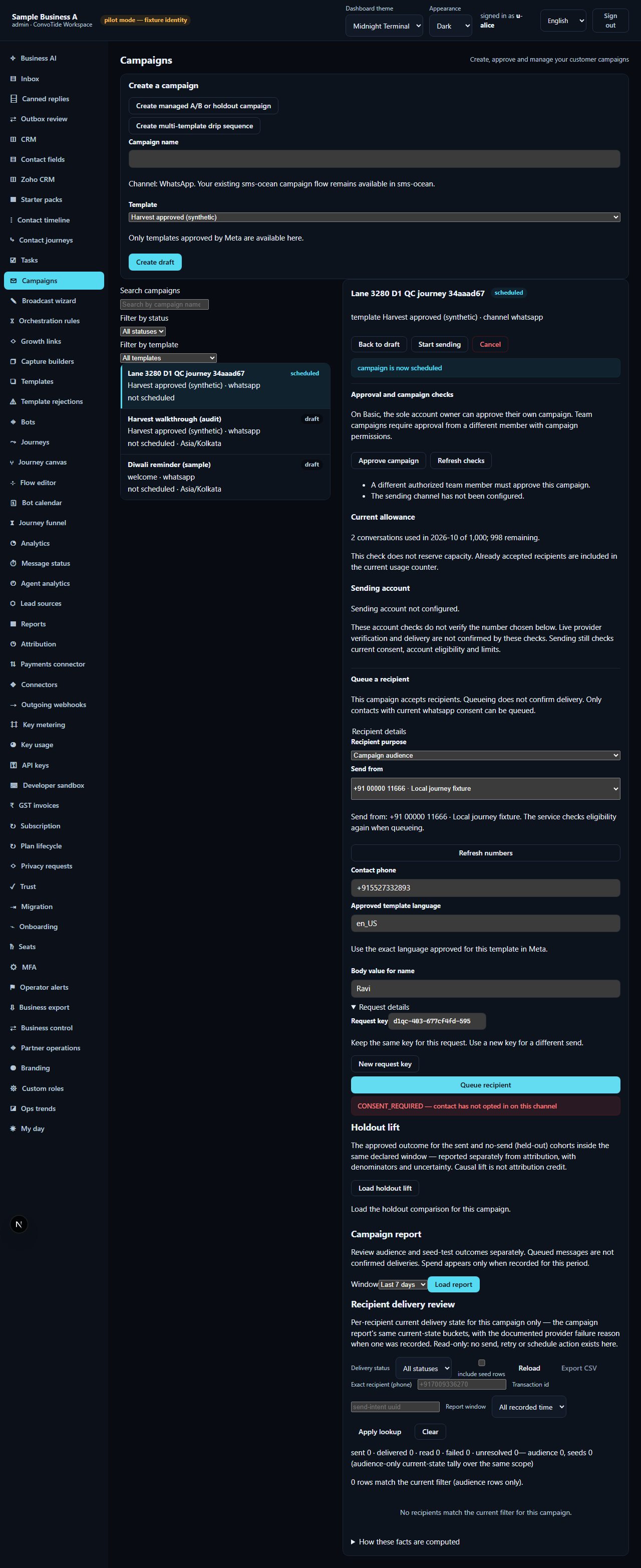
Queue the opted-out contact next: the service answers
403 CONSENT_REQUIRED and the form shows the error notice. Nothing is
queued for that contact; consent is checked server-side on every request,
so a stale or hand-crafted form can never bypass it.
Step 8 — The report tells the truth
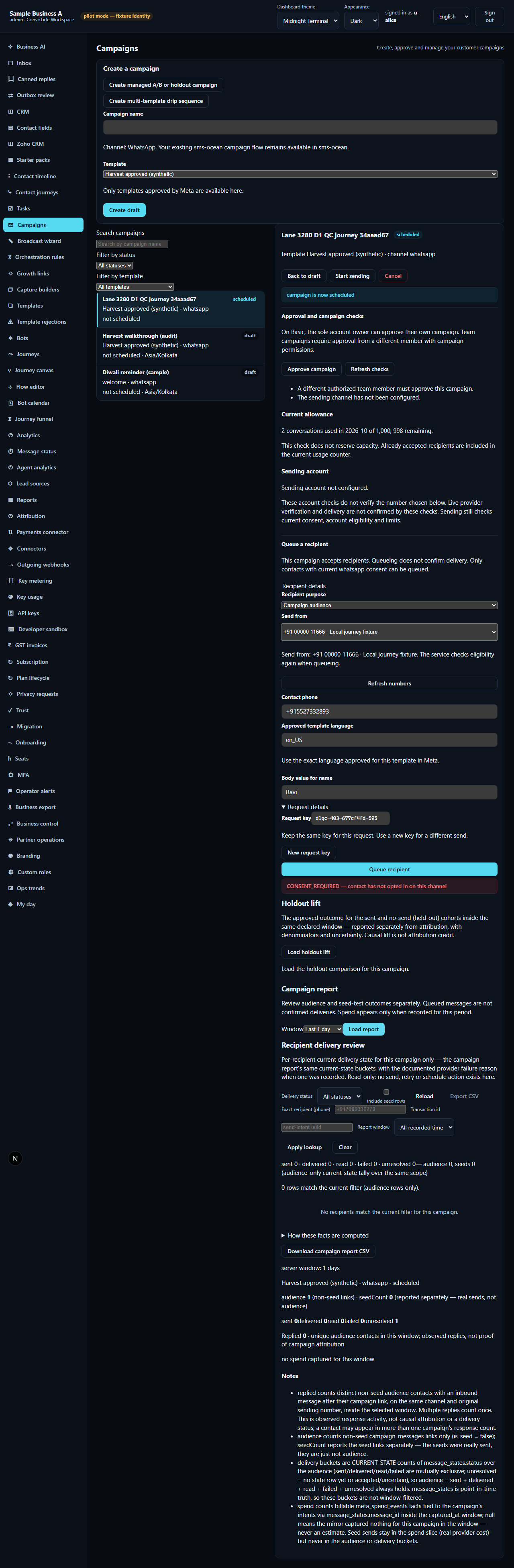
Load the campaign's report: audience 1 (the single accepted 202 — the 403 contributed nothing), seeds 0, status scheduled. The report counts what actually happened, not what was attempted.
Step 9 — The same journey on a phone
At 390 px the drawer, the recipient form and the enabled Queue button all remain usable — the API-guarded contract does not change with viewport width.

If you see an error
| What you see | What it means | What to do |
|---|---|---|
403 SELF_APPROVAL_FORBIDDEN when pressing Approve |
This campaign requires a different approver | Ask an eligible Customer Admin or delegated campaign approver |
409 CAMPAIGN_NOT_ACTIVE after pressing Queue in a draft |
The button is enabled in draft, but the service only accepts queueing for a scheduled campaign | Move the campaign to scheduled (Step 5), then queue again |
403 CONSENT_REQUIRED after pressing Queue |
The contact has not opted in on this channel; consent is checked server-side on every request | Record the contact's opt-in through your real intake channels or the API (see the consent-gate guide), then retry |
Honest status of the Queue button
History, so nobody is misled by an older screenshot elsewhere:
- The Queue button was previously permanently disabled in every state —
defect ZC3244-D1, discovered and root-caused by the ZC3244 guides
lane (ledger
C:/CT-ZCODE3244/zcode-full-plan24-3244/lane-guides-ledger.json): atemplateErrorprop passed as an empty string kept the disable condition true. The remedy (fix(campaigns): Queue button never enables; enqueue is API-guarded, not client-gated, lane commit5b8689df8/1d3699321) enables the button when the template is loaded and a sender is bound, and moves every refusal to the service boundary. - The remedy and both journey runs live on worker lane branches
(
codex/zcode-3294-o14@112f7f23e, retained oncodex/zcode-3310-o14@192496b1d). They are pending Chief acceptance and Main integration — on the current Main revision the button may still show the old disabled behaviour until that integration lands. The API contract proven here (409/202/403) is the service's own and does not depend on the button.
What this guide does NOT claim (kept honest)
- Different-seat approval — approval stayed honestly refused throughout; no second qualified seat approved the campaign in these runs.
- Actual sending / launch — no send was started, no provider was contacted, and no live Meta delivery occurred or is claimed.
- Seed acts, wallet or spend — not part of this journey.
- The broadcast wizard (audience freeze from the wizard side) is a separate journey — its audience step is covered by the template studio guide.
Where the receipts live
| What | Where |
|---|---|
| First journey screenshots (this guide's images, byte-exact) | …/lane-3280-artifacts/journey-test-results/lane3280-d1-full-journey-D-36c17-2-consent-403-honest-report-chromium/d1-journey/ |
| First journey ledger | C:/CT-ZCODE3244/zcode-full-plan24-3244/lane-3280-d1qc-ledger.json |
| Permanent spec (committed) | apps/workspace/tests/campaign-enqueue-full-journey.spec.ts on codex/zcode-3310-o14 @ 192496b1d |
| Permanent-spec run + 27/27 full-matrix ledger | C:/CT-ZCODE3244/zcode-full-plan24-3244/lane-3294-o14-ledger.fixed.json |
| Defect report ZC3244-D1 | C:/CT-ZCODE3244/zcode-full-plan24-3244/lane-guides-ledger.json |
Evidence record (kept for honesty). Written from two recorded passing
runs of one and the same seated journey: (1) the original lane-3280
verification journey — 13 recorded steps with numbered screenshots,
preserved byte-exact (12 screenshots + journey-steps.json; ledger
C:/CT-ZCODE3244/zcode-full-plan24-3244/lane-3280-d1qc-ledger.json); and
(2) the permanent spec re-run — the same journey re-authored as the
committed, reproducible browser test
apps/workspace/tests/campaign-enqueue-full-journey.spec.ts (lane 3294
commit 112f7f23e, retained on codex/zcode-3310-o14 @ 192496b1d):
1/1 passed on chromium over the real integrated stack (throwaway PostgreSQL
cluster + fixture API + the real workspace UI; no route stubs). The run
stack was fixture identity (u-alice, an administrator seat) in an
isolated throwaway database. Both runs are local candidate evidence on
worker lane branches, pending Chief acceptance and Main integration —
nothing here is a live or Main-built claim. Carried into this corpus from
sibling branch codex/zcode-3456-guides (identical bytes on
codex/zcode-3310-guides) and rewritten to this corpus's customer
instruction standard on 26 October 2026; every fact, verbatim message and
receipt above is preserved from the source chapter.